Mastering Ruby Parallelism and Concurrency
From basics to real-world applications - understanding threads, GIL, and how to achieve true parallelism in Ruby.
From Basics to Real-World Applications
Concurrency
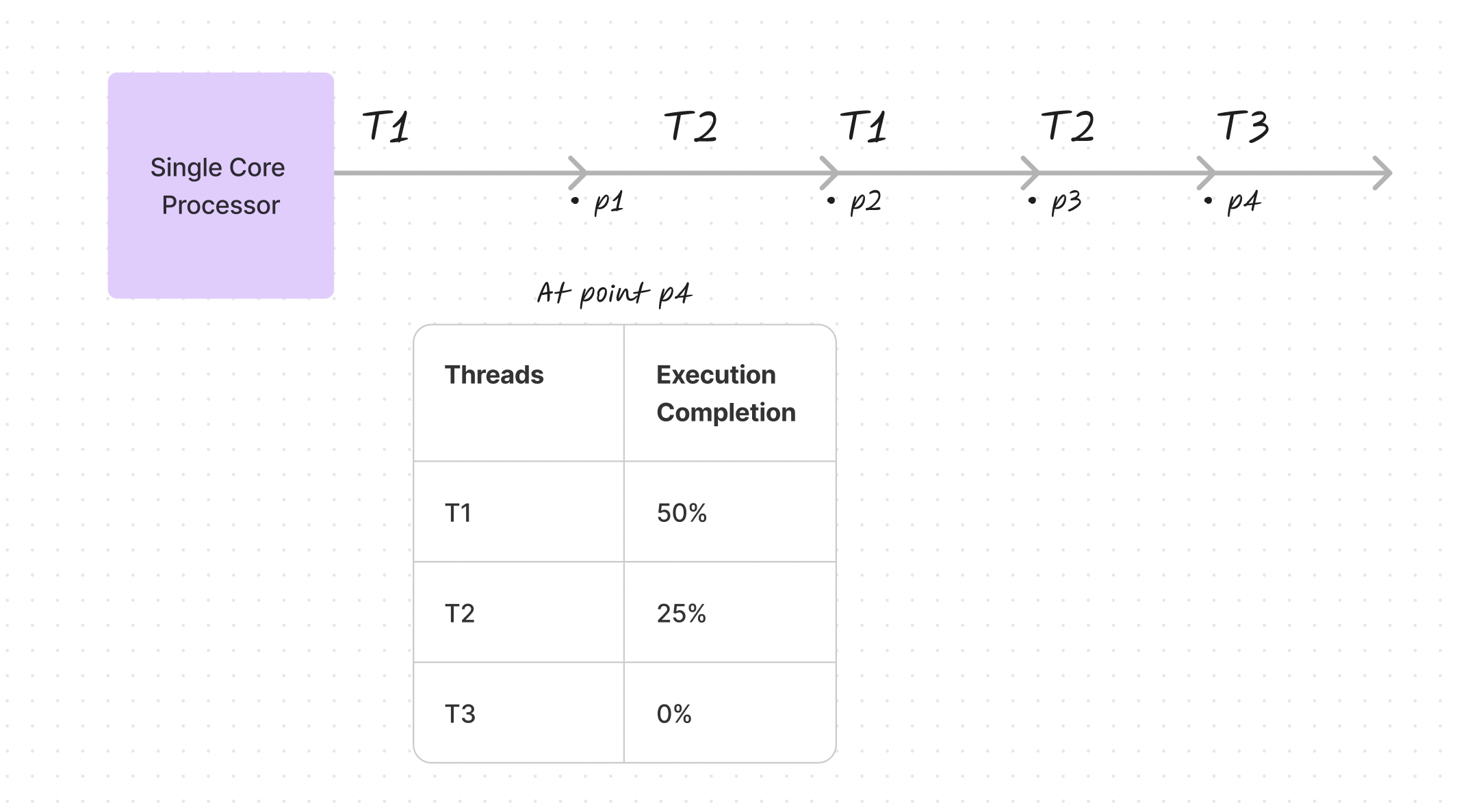
When multiple threads execute on a single-core processor, they don't advance simultaneously. Instead, the operating system rapidly switches between them, creating the illusion of parallel execution. At any given moment, different threads exist at different stages of completion—one might be halfway finished while another hasn't started.
Parallelism
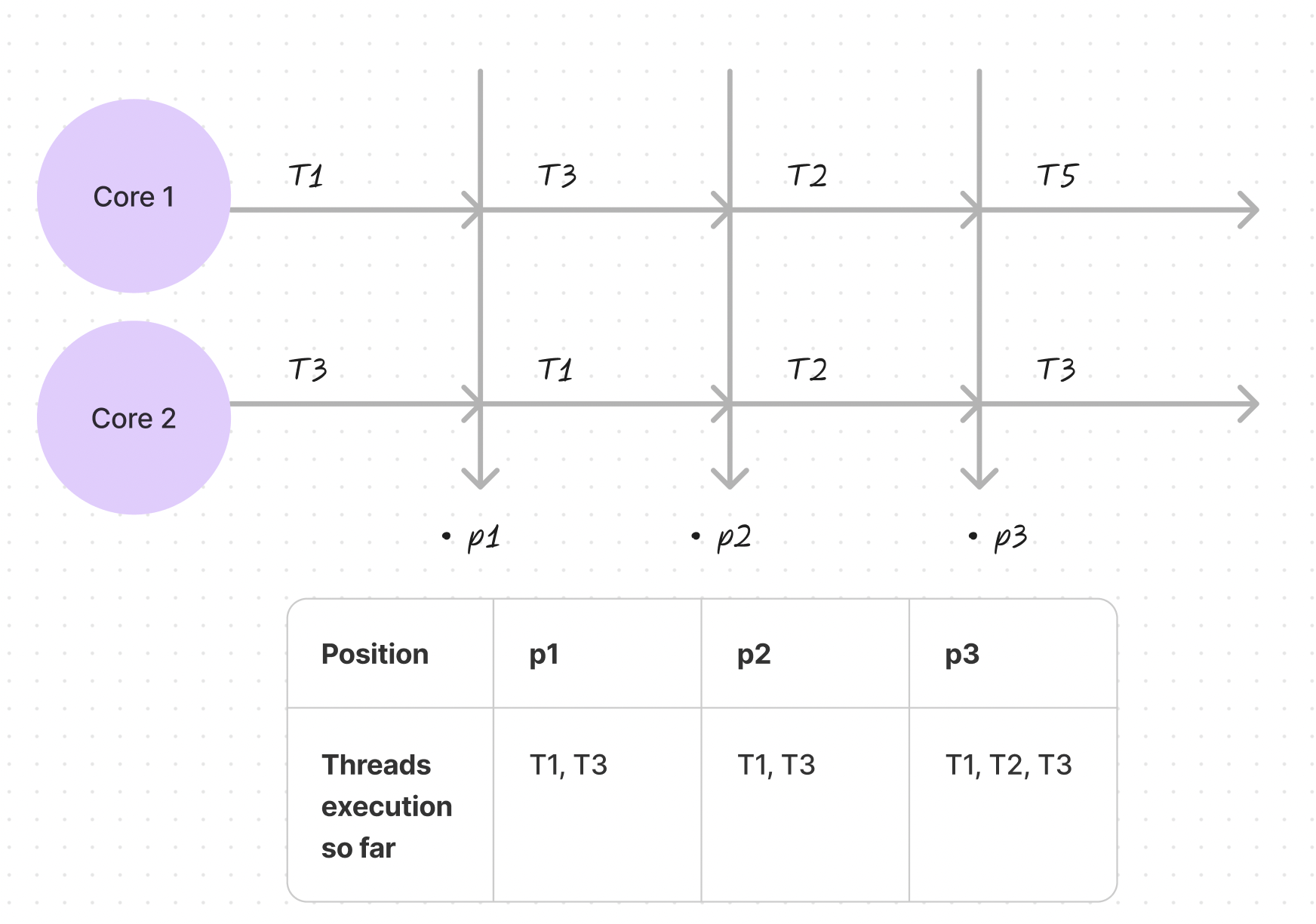
True parallelism requires multiple processors. With multi-core systems, different threads can genuinely execute at the same time. Each processor core can handle separate tasks simultaneously, enabling real progress on multiple fronts without threads waiting for their turn.
Context Switching
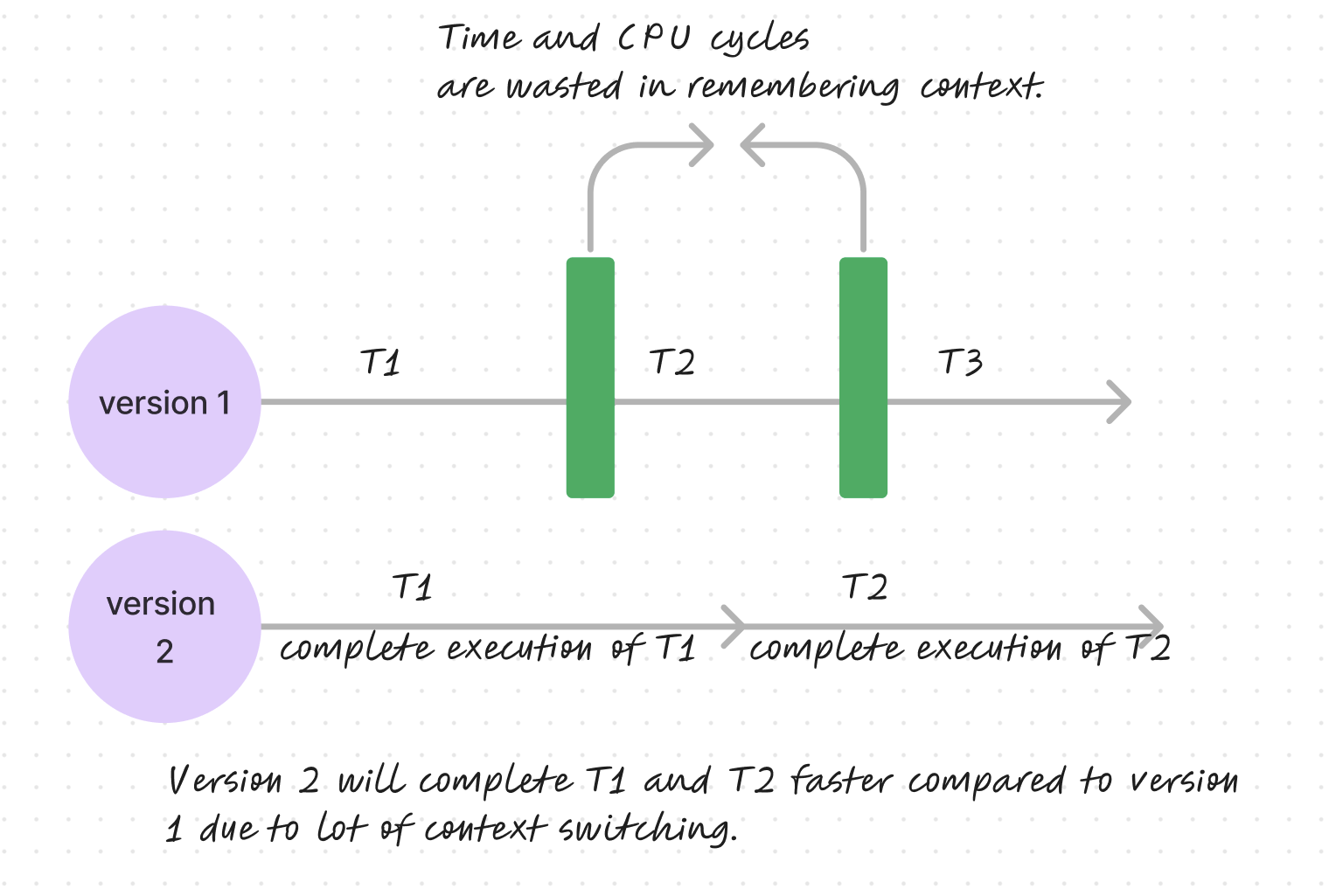
Excessive context switching reduces efficiency. The system must spend CPU cycles preserving a task's state in memory, then retrieving it later. Less frequent switching allows tasks to complete more quickly, as demonstrated by comparing rapid context switching versus uninterrupted execution.
Process Control Block and Thread Control Block
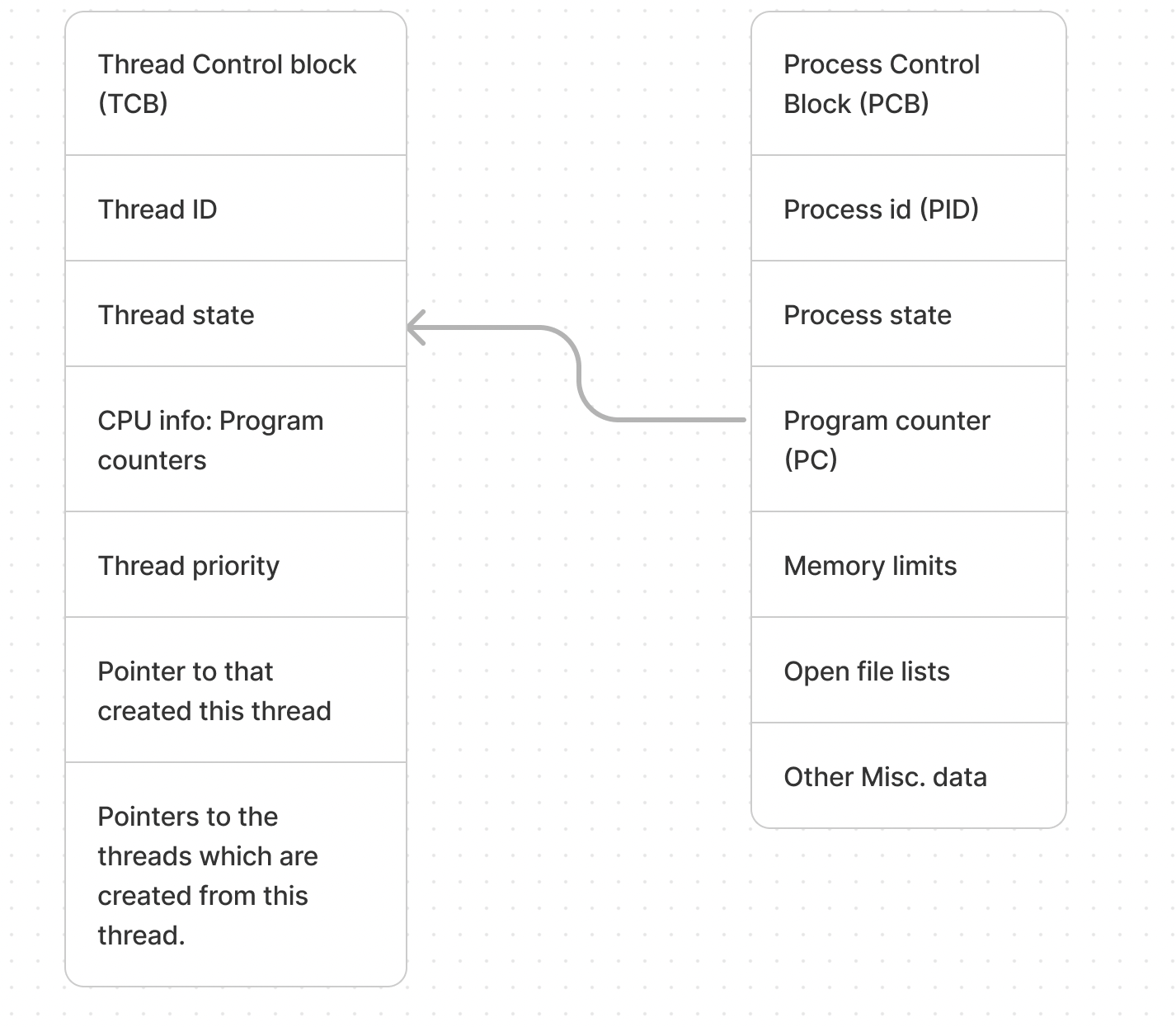
The operating system uses data structures to manage execution state:
- Process Control Block (PCB): Tracks process information including the unique identifier (PID), current state, and program counter for resuming execution
- Thread Control Block (TCB): Manages individual thread details within a process, including thread ID, state, CPU registers, and priority
What are Threads in Ruby
Ruby threads function like separate tasks running concurrently. However, Ruby's primary implementation (MRI) has a critical limitation: the Global Interpreter Lock restricts execution so that "only one bit of the program can use the central part of Ruby at once." This contrasts with Java, which supports true parallel execution across multiple cores.
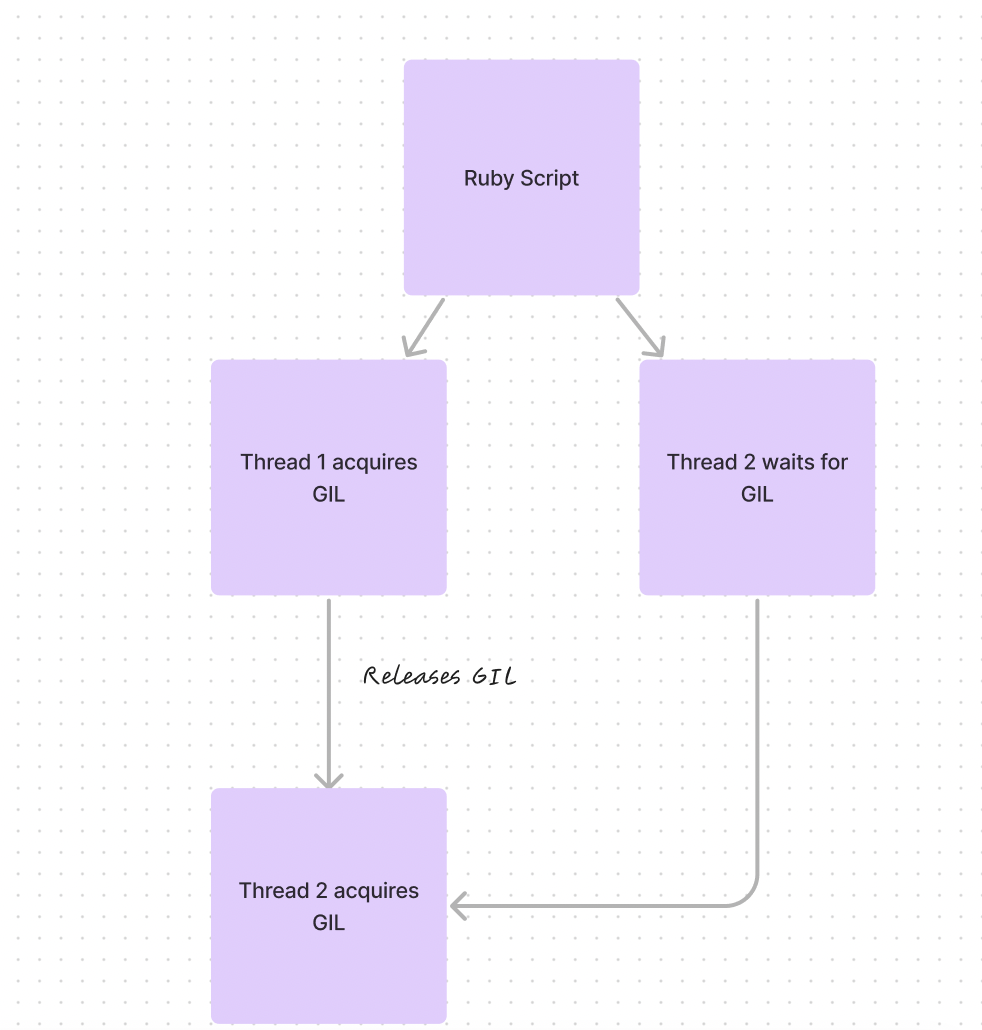
Understanding the GIL (Global Interpreter Lock)
The GIL ensures thread safety by preventing multiple threads from executing Ruby code simultaneously. Think of it as a single-lane traffic system—only one thread can proceed at a time, preventing race conditions and data corruption in the interpreter's internal structures.
Why the GIL Cannot Be Ignored
Ignoring the GIL in MRI Ruby is impossible without modifying the interpreter itself. The mechanism prevents race conditions and ensures thread safety, protecting the interpreter's internal data structures from corruption.
Using JRuby to Bypass the GIL
JRuby runs on the Java Virtual Machine and lacks a GIL, allowing concurrent execution on multiple JVM threads. This makes JRuby suitable for applications requiring true multi-core parallelism.
Using Processes for Parallelism in Ruby
True parallelism can be achieved using processes rather than threads. Each process maintains its own GIL and memory space, enabling independent parallel execution.
Let's look at the CPU usage in idle state first:

Single-Process Implementation
require 'prime'

Benchmark.bm do |x|
  x.report("Sequential Prime Calculation:") do
    primes = Prime.each(10_000_000).select { |p| p >= 1 }
    primes
  end
end
Results: Average execution time approximately 8.74 seconds
Here's the CPU usage with single process execution:

Multi-Process Implementation
range = 1..10_000_000
num_processes = 8
slice_size = range.size / num_processes

Benchmark.bm do |x|
  x.report("Parallel Prime Calculation:") do
    num_processes.times.map do |i|
      start_range = range.first + i * slice_size
      end_range = start_range + slice_size - 1
      end_range = range.last if i == num_processes - 1

      Process.fork do
        primes = Prime.each(end_range).select { |p| p >= start_range }
      end
    end

    Process.waitall
  end
end
Results: Average execution time approximately 0.00037 seconds, with significantly improved CPU utilization across multiple cores.
Notice how all CPU cores are now being utilized:

Is the Process Module a Perfect Solution?
Multi-process architecture introduces considerations:
- Process creation carries resource overhead
- Managing numerous simultaneous processes can degrade system performance
- Data sharing between processes requires careful handling
- The approach works best with manageable process counts and long execution times
- Each process should ideally operate independently, with the parent overseeing execution
- Unexpected parent process termination can leave orphaned child processes
Multi-process implementations suit scenarios involving lengthy computations on multi-core systems where processes don't require inter-process communication or return complex data to the parent.