Set Up Dual Databases in Rails
A complete guide to implementing dual database support in Rails with Heroku Postgres and AWS RDS.
Overview
This guide describes implementing dual database support in a Rails application hosted on Heroku, with one database on Heroku's Postgres add-on and another on AWS RDS.
Creating an Amazon RDS Postgres Instance
The recommended configuration includes:
- Template: Production
- Instance class: db.t4g.small (2 vCPU, 2 GB memory)
- Storage: 20 GB with auto-scaling
- Backup: 7-day retention
- Estimated cost: $26.49/month
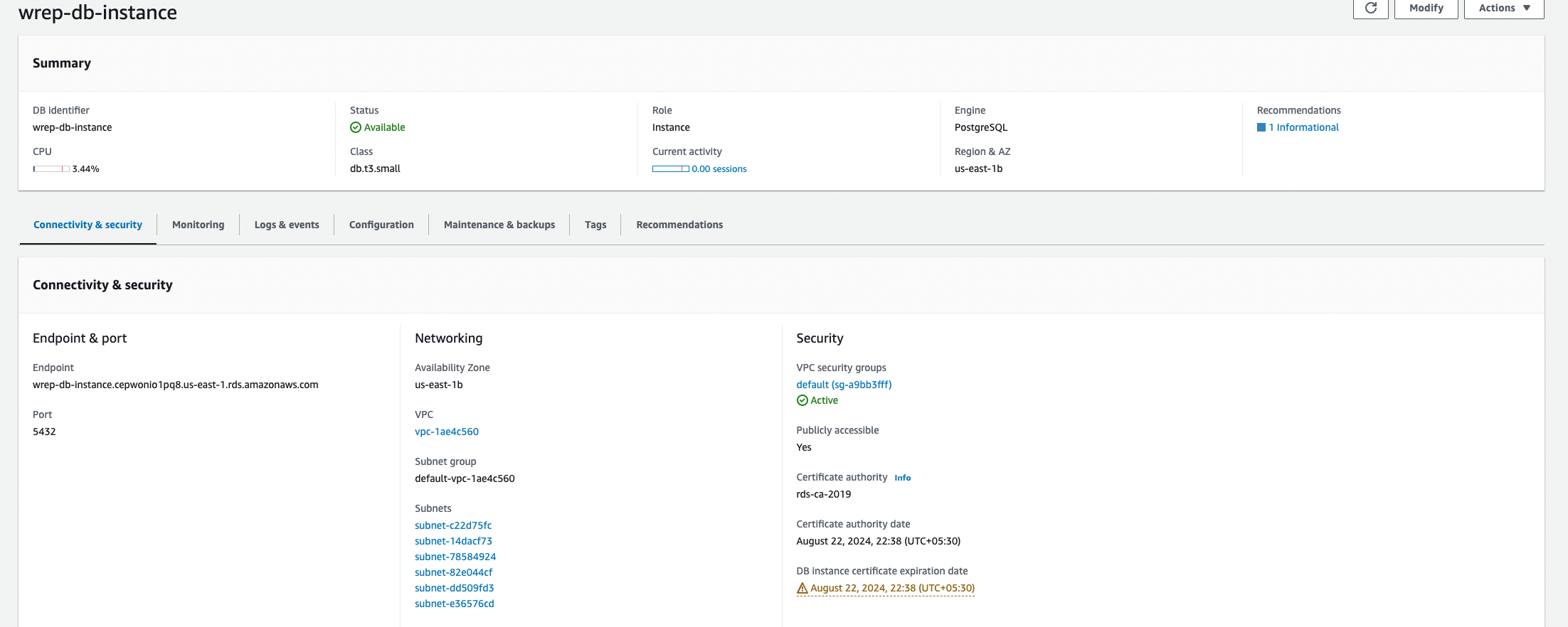
Security group setup requires editing inbound rules to allow PostgreSQL traffic from "Anywhere IPv4."
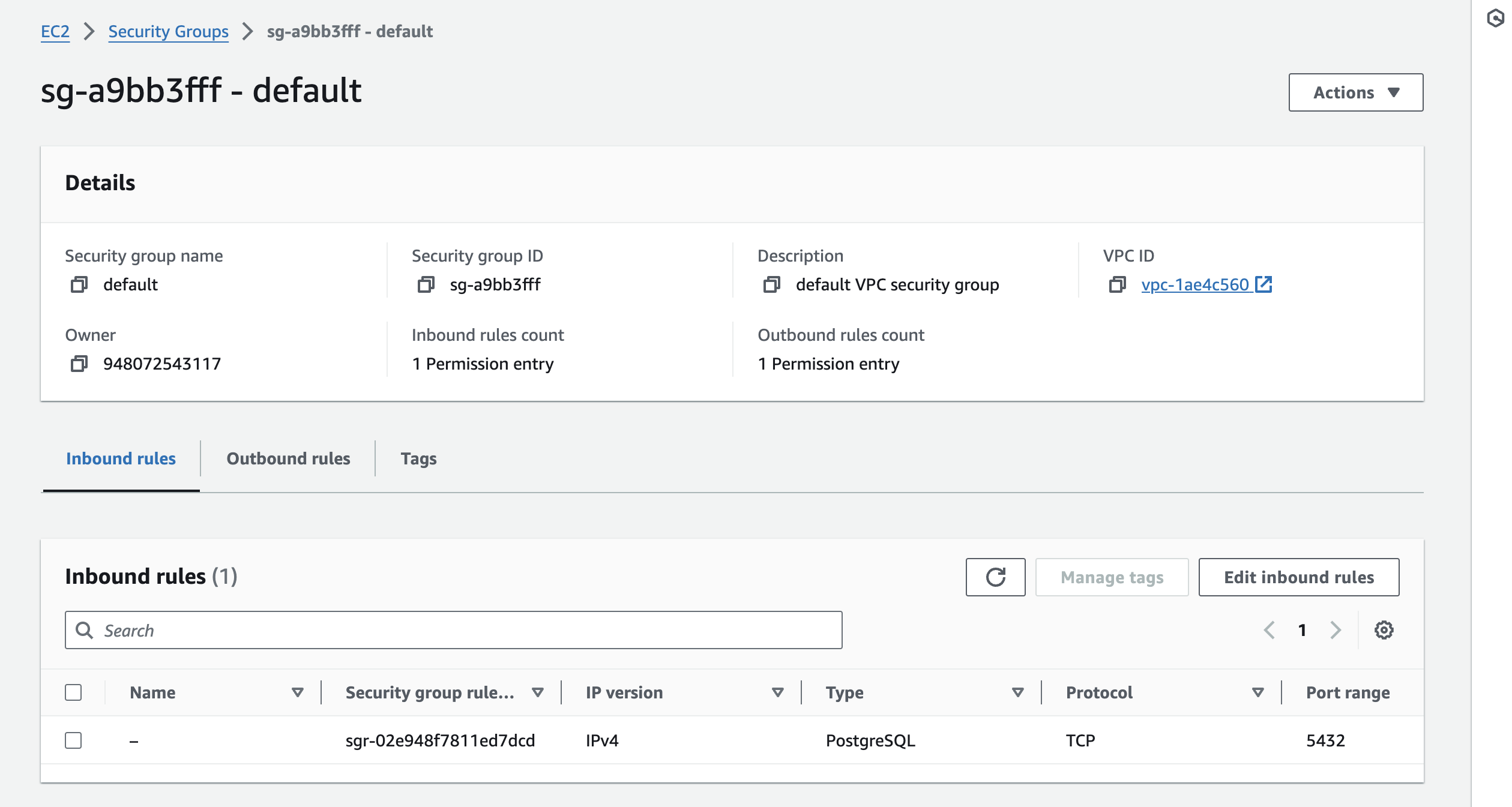
Testing RDS Connection
Two methods are provided:
- DBeaver GUI: Connect using the endpoint, port 5432, master credentials
- Terminal: Use psql command with appropriate connection parameters
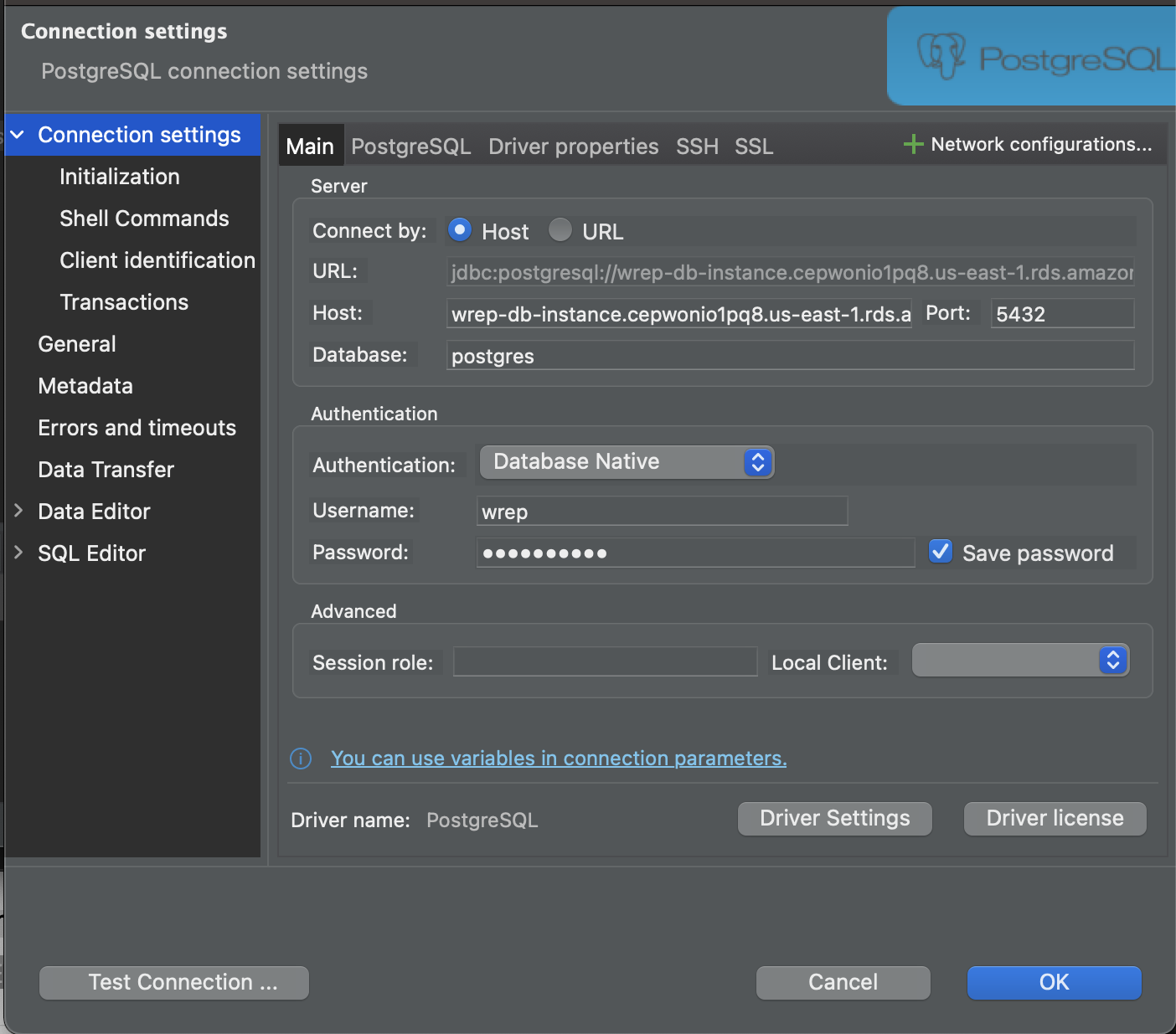
After connecting, manually create the database:
CREATE DATABASE wrep;
Two-Tier vs. Three-Tier Configuration
Single database applications use two-tier configuration in database.yml. Multi-database setups require three-tier configuration:
production:
  primary:
    adapter: postgresql
    url: <%= ENV['DATABASE_URL'] %>
    migrations_paths: db/migrate/primary
  wrep:
    adapter: postgresql
    url: <%= ENV['WREP_DATABASE_URL'] %>
    migrations_paths: db/migrate/wrep
Model Configuration
Models connecting to specific databases use the connects_to method:
class Sample < ActiveRecord::Base
  self.abstract_class = true
  connects_to database: { writing: :wrep }
end
Create a base class to avoid repetition across multiple models.
Migration Management
Organize and run migrations for multiple databases:
- Move existing migrations:
mv ./db/migrate/* ./db/migrate/primary/ - Create wrep migrations folder:
db/migrate/wrep - Generate wrep migrations:
rails g migration --database=wrep - Migrate primary:
rails db:migrate:primary - Migrate wrep:
rails db:migrate:wrep - Migrate both:
rails db:migrate
Heroku Deployment
Update production configuration with environment variables. Download the RDS CA certificate:
curl https://s3.amazonaws.com/rds-downloads/rds-combined-ca-bundle.pem > ./config/amazon-rds-ca-cert.pem
Configure the database URL with SSL parameters:
heroku config:set DATABASE_URL="postgres://user:pass@host/db?sslca=config/amazon-rds-ca-cert.pem"
The sslca parameter ensures secure SSL validation with the RDS instance.
Final Steps
- Add the certificate to your repository
- Redeploy to Heroku
- Run
heroku run rails db:migrate -a app-name